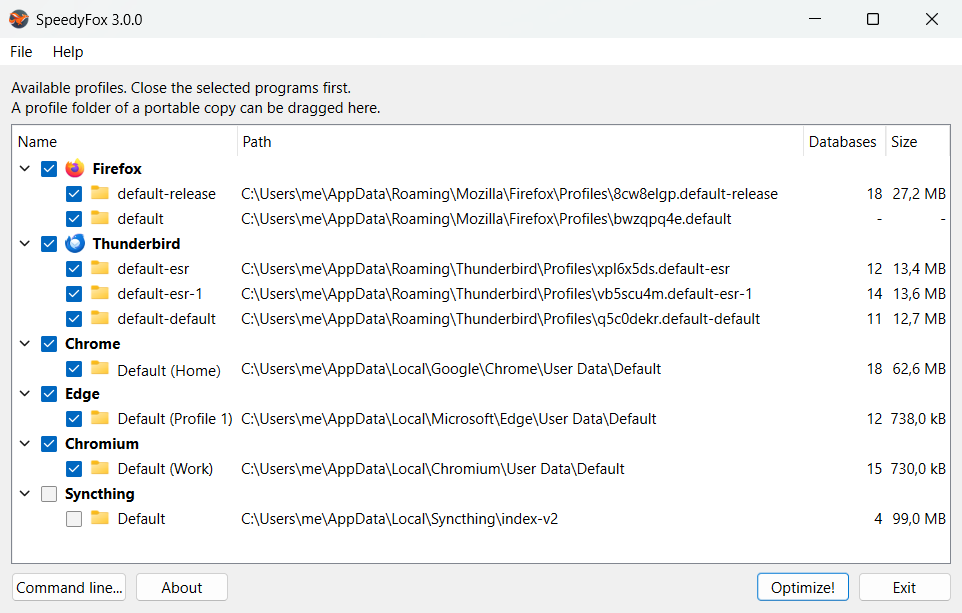
SpeedyFox 3.0.0 is out — the first new version since October 2020. The program has been rewritten from scratch, and Windows and macOS now run the very same application instead of two different ones.
What it does has not changed
Browsers and messengers keep bookmarks, history, cookies and passwords in SQLite databases, and those databases get fragmented over months of use. SpeedyFox compacts them: the program starts quicker afterwards and its profile takes less disk space. Nothing is deleted, nothing outside the profile folders is touched, and it is still free.
What is new
30 supported programs. Firefox and its forks (Zen, LibreWolf, Floorp, Waterfox, Pale Moon, Basilisk, SeaMonkey), Thunderbird and Betterbird, Chrome, Edge, Brave, Vivaldi, Chromium and the Opera builds — including the pre-release channels of each — plus Viber, Syncthing and Plex Media Server. On macOS, Safari as well.
Databases are recognized by their content, not by their name. Version 2 looked for files matching *.sqlite and quietly walked past everything else. Firefox keeps its passwords in logins.db and key4.db, so that storage was never compacted, while the Chrome equivalent always was. Version 3 reads the first bytes of every file in a profile and compacts whatever turns out to be an SQLite database.
One .exe on Windows. Nothing to install and nothing to unpack: download a single 9.8 MB file and run it. On macOS it is a signed and notarized app in a zip archive.
There is also a new interface, a command line that works the same way on both systems, and the SQLite engine updated to 3.49.1. Support for programs that have been abandoned or discontinued is gone: Skype, Yandex Browser, Cyberfox, FossaMail, Epic, Iron, Slimjet, Cent Browser and SlimBrowser.
System requirements
Windows 7 or newer, macOS 12 Monterey or newer.